
How to digitally sign an RDP file
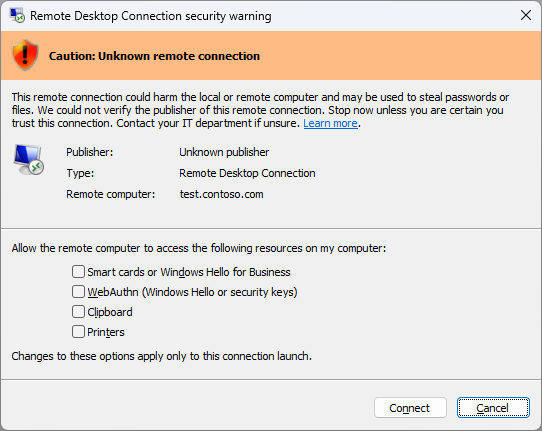
Trust criteria for signed .rdp files have become stricter, and the warning dialog box for Remote Desktop Connection has been redesigned. It now lists all resources that the connection can redirect (drives, printers, clipboard, USB, etc.) with individual checkboxes, and each checkbox is disabled by default. Users must opt-in to check them each time they connect.
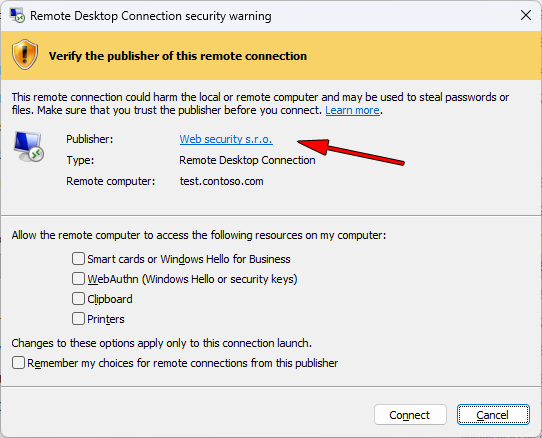
If .rdp files are signed with a trusted CODE certificate, Windows considers them safe and allows users to connect more easily.
What is an RDP file?
An RDP (Remote Desktop Protocol) file is a small text file used to configure and launch connections through the Remote Desktop Connection tool built into Windows. It allows users to quickly access remote systems. .rdp files contain connection settings such as server address, port, device redirection options, and other parameters.
April 2026 cumulative updates for Windows 10/11 have started flagging unsigned .rdp files as a "virus"!
An unsigned .rdp file raises distrust among users.
rdpsign
The rdpsign application allows you to digitally sign a Remote Desktop Protocol (.rdp) file.
rdpsign /sha256 [/q | /v |] [/l]
More at https://learn.microsoft.com/en-us/windows-server/administration/windows-commands/rdpsign.
How to sign a .rdp file?
If you own one of the CODE signing certificates, signing an RDP file is very simple using a single command.
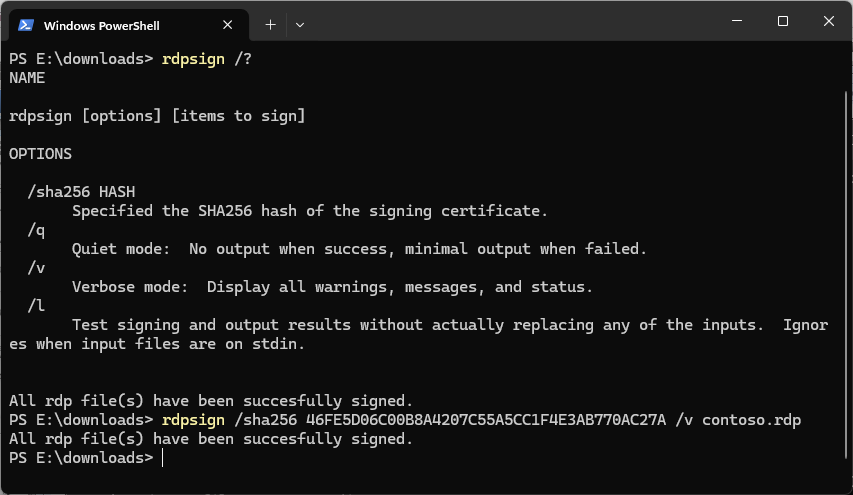
rdpsign /sha256 46FE5D06C00B8A4207C55A5CC1F4E3AB770AC27A /v contoso.rdp
The /SHA256 parameter specifies the thumbprint of the signing certificate located in the certificate store. You can find this thumbprint (text string) in the details of your certificate under Details → Thumbprint.
After successful signing, the Remote Desktop Connection dialog box displays information about the publisher of the RDP file to users. Users are able to recognize a trusted vendor and will be able to establish a connection easily without unnecessary concerns.
Example of successful signing in Windows PowerShell.
Where next?
Back to Help
Found an error or don't understand something? Write us!